▊Method for selecting safety controller
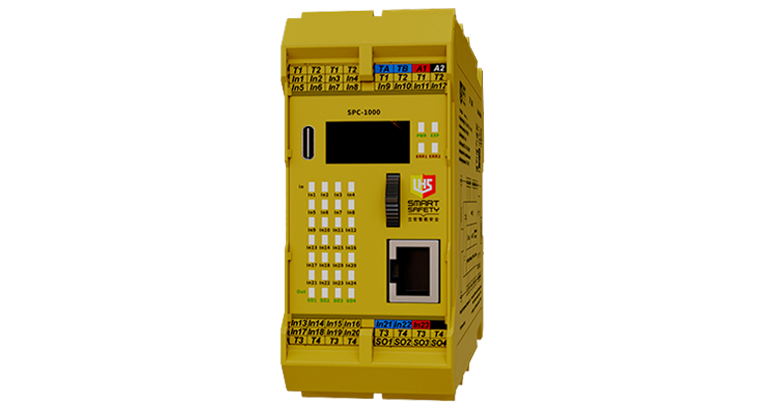
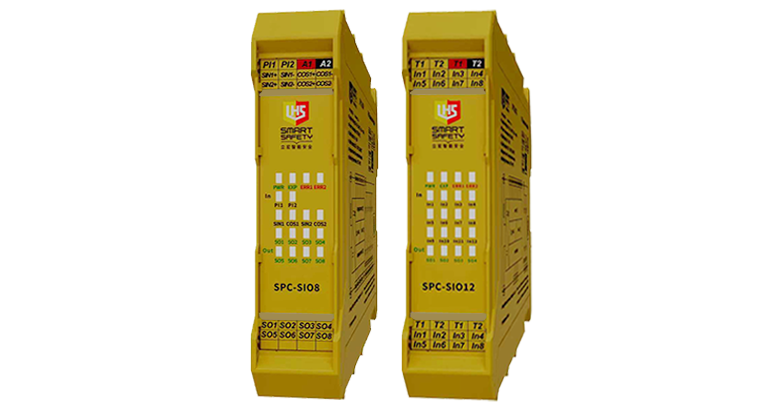
Please follow the steps to select the suitable GC series products according to the purpose. | ||
 |  |  |
| Selection of main controller [required] | Selection of expansion unit [option] | Selection of bus gateway [option] |
| 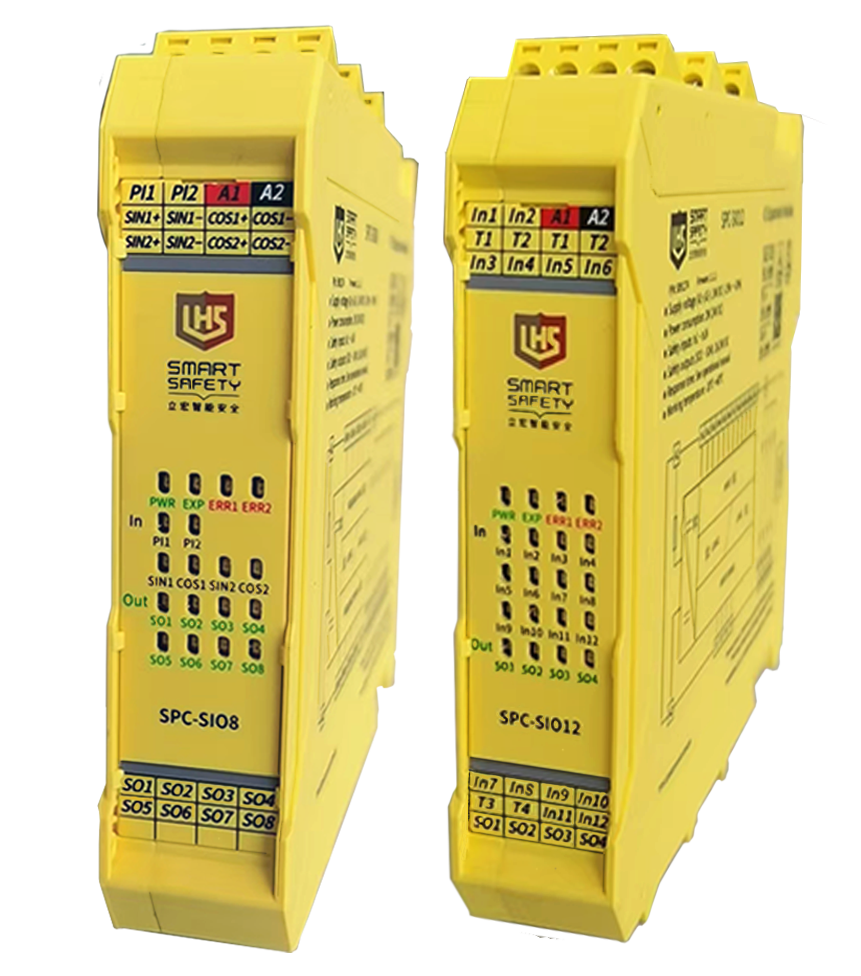 |  |
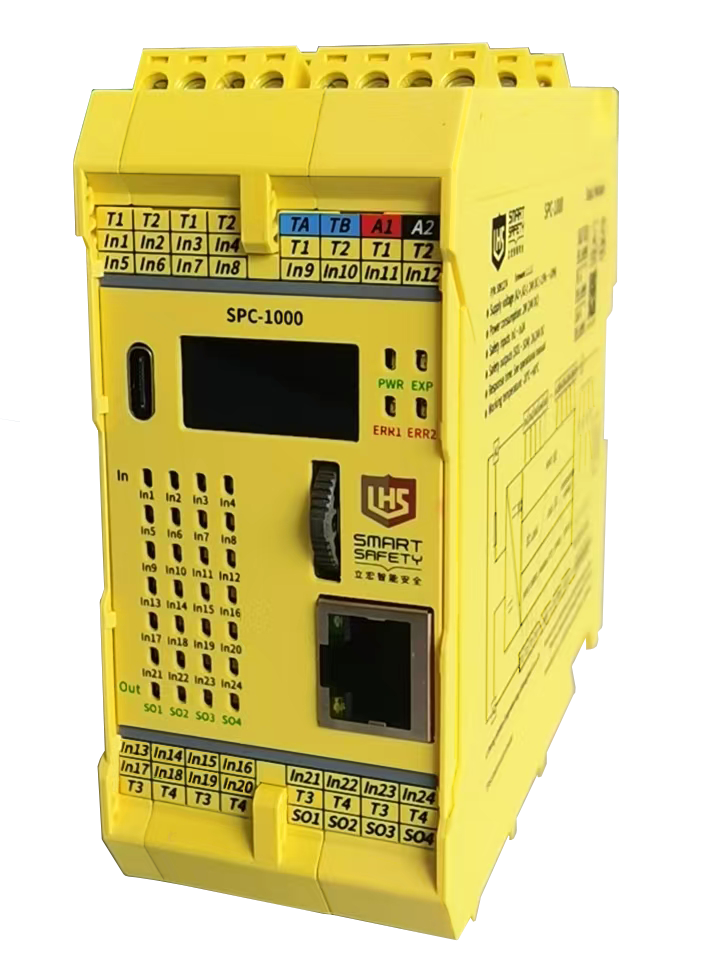
SPC-1000 | SPC-SIO8 SPC-SIO12 | SPC-WG |
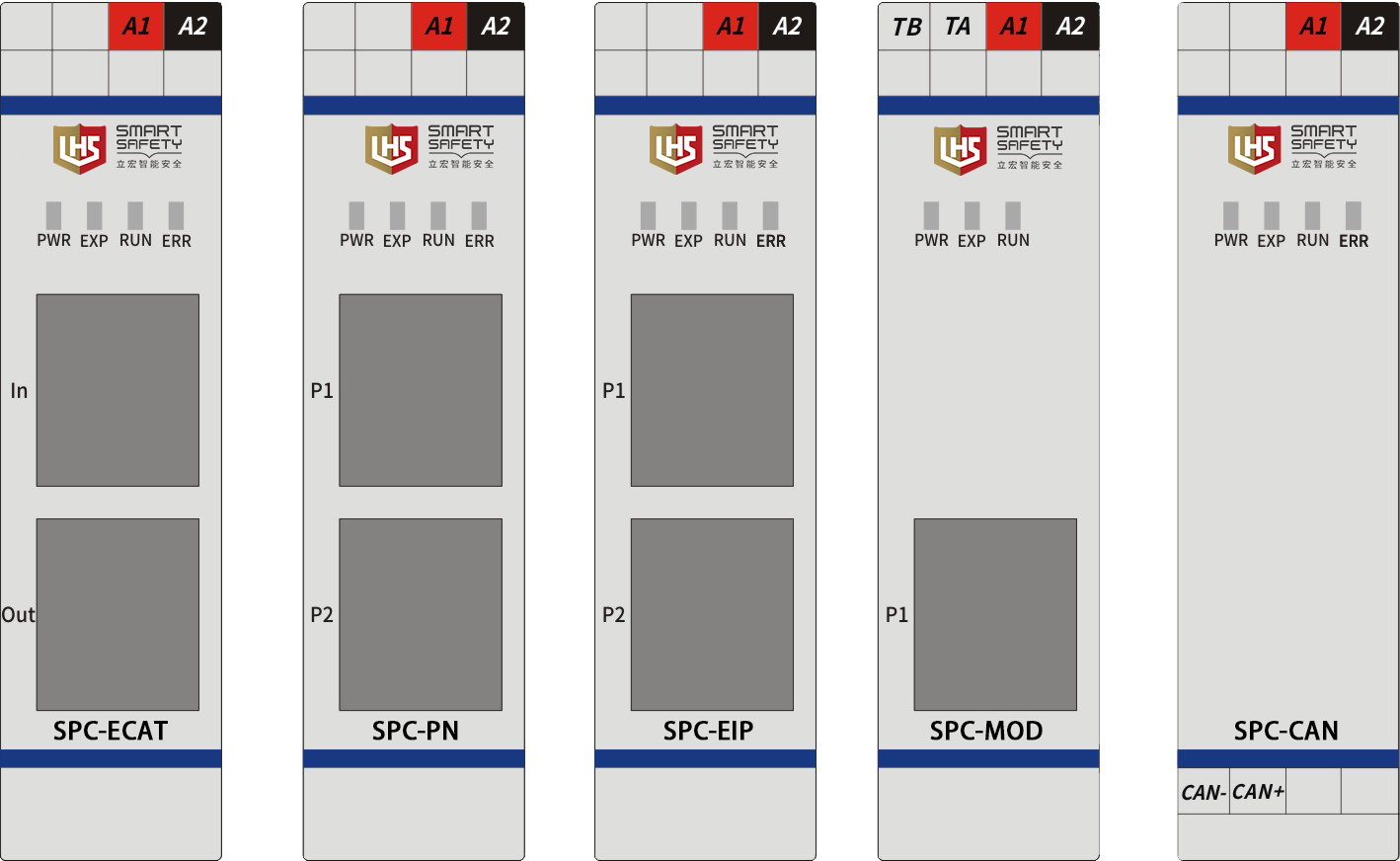
| ▊ | Bus gateway |
| ? It is a bus-type gateway slave device. ? Used in conjunction with the safety control modules |
▊Attachment specification
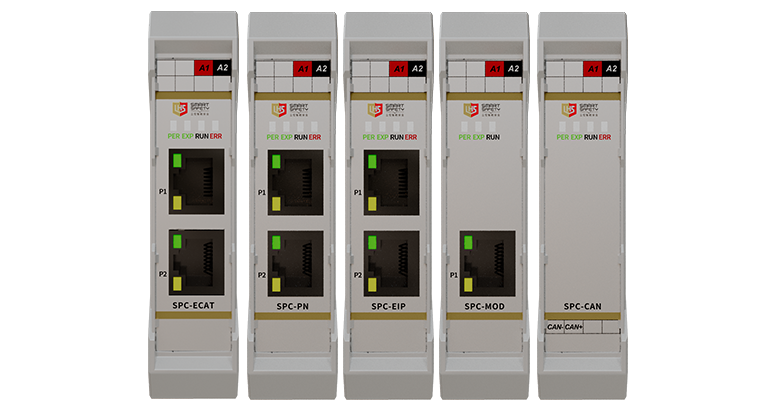
product name | model | communication method |
gateway | SPC-PN | PROFINET |
gateway | SPC-MOD | Modbus |
gateway | SPC-EIP | Ethernet/IP |
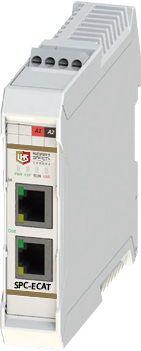
gateway | SPC-ECAT | Ether CAT |
gateway | SPC-CAN | Canopen |
▊ Technical parameter
model | SPC-WG |
power indicator | off:Module is power-off |
on:Module is power-on | |
Backplane bus indicator | on:Backplane bus communication is normal. |
Blinking:The connection is normal, with some modules offline in the system. | |
Flickering:Gateway module is offline | |
Bus operation indicator | off:No connection established with the master station. |
on:Successful connection with the master station. | |
ERR indicator | off:No error (indicator is off) |
on:System error (indicator is on) | |
LiLink/Act | off:No EtherCAT connection |
on: Connection is normal,no data. | |
Flash: Data is being transmitted |
▊Gateway accessory specification
product name | Product selection | use |
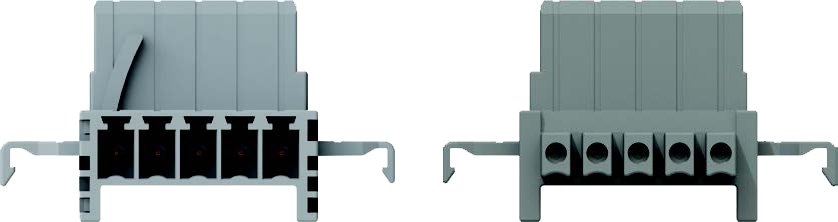
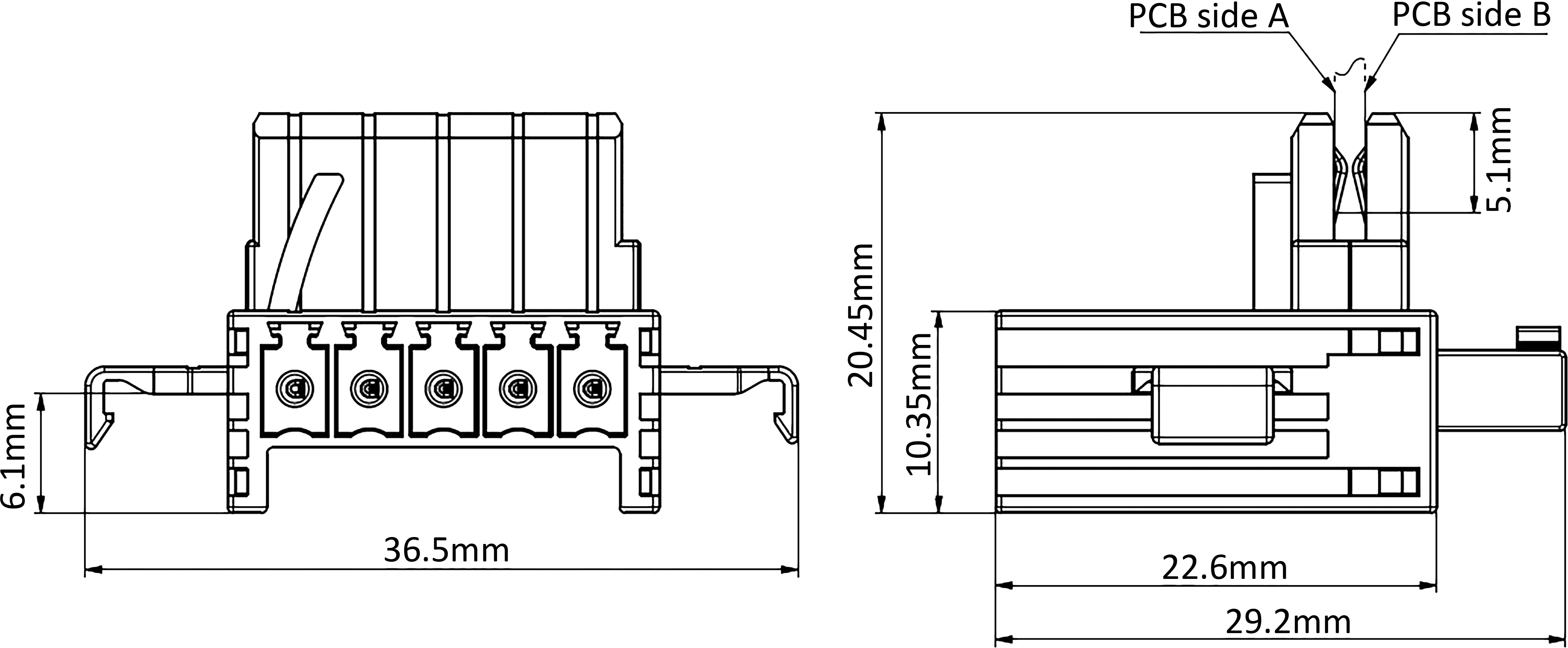
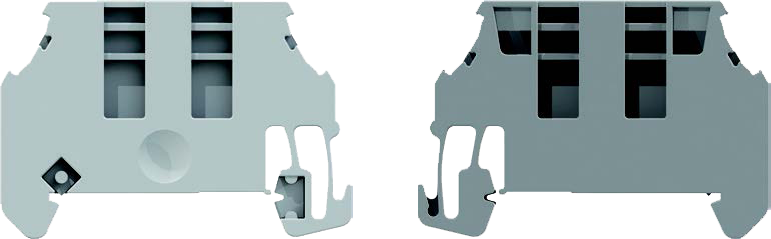
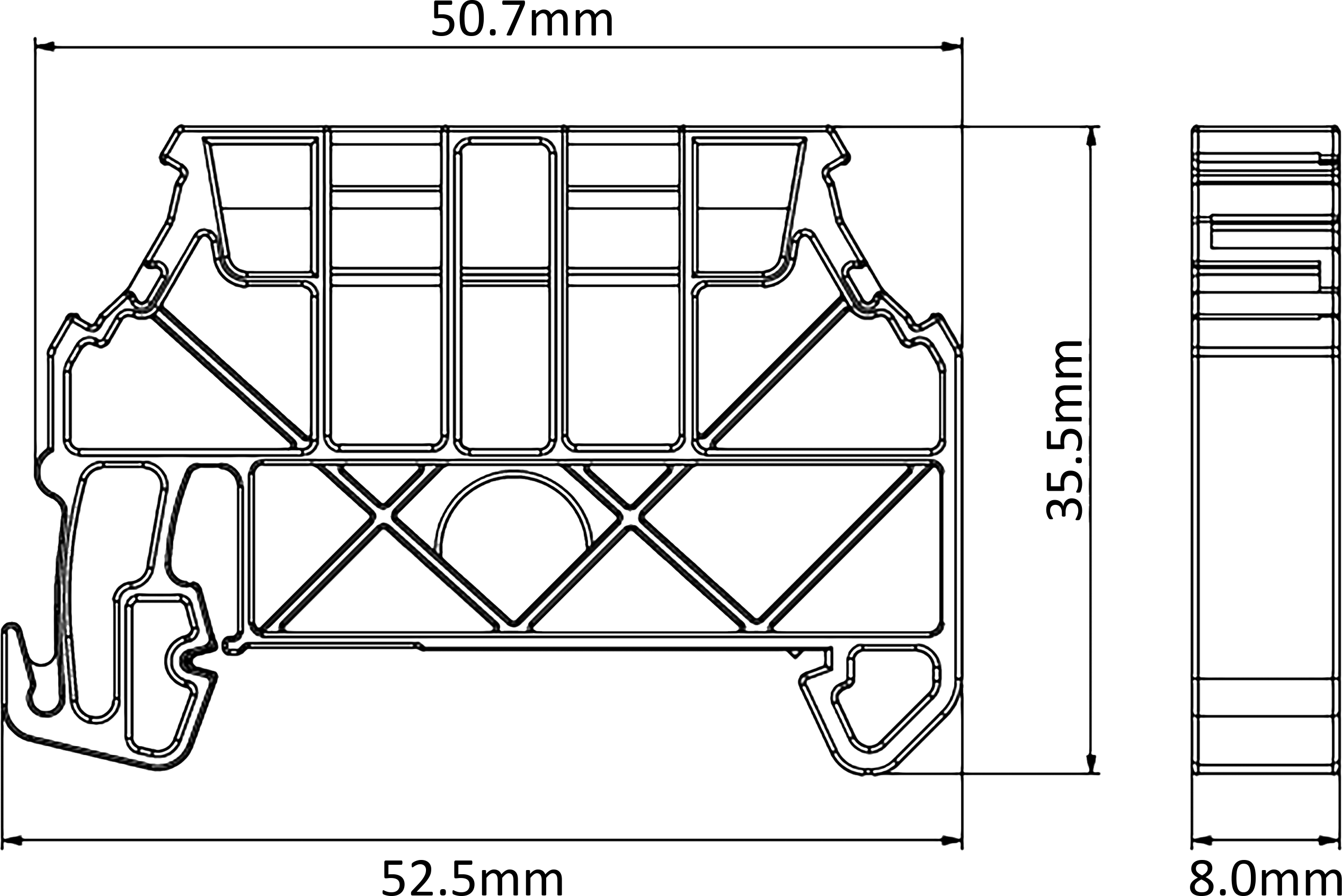
DIN rail bus connector | SPC-TBUS | A bus connector used to connect the housing of electronic modules, one is required for each module. |
Limit switch | SPC-E | A set of two is standard, which is used to fix the module and prevent the module from loosening. |
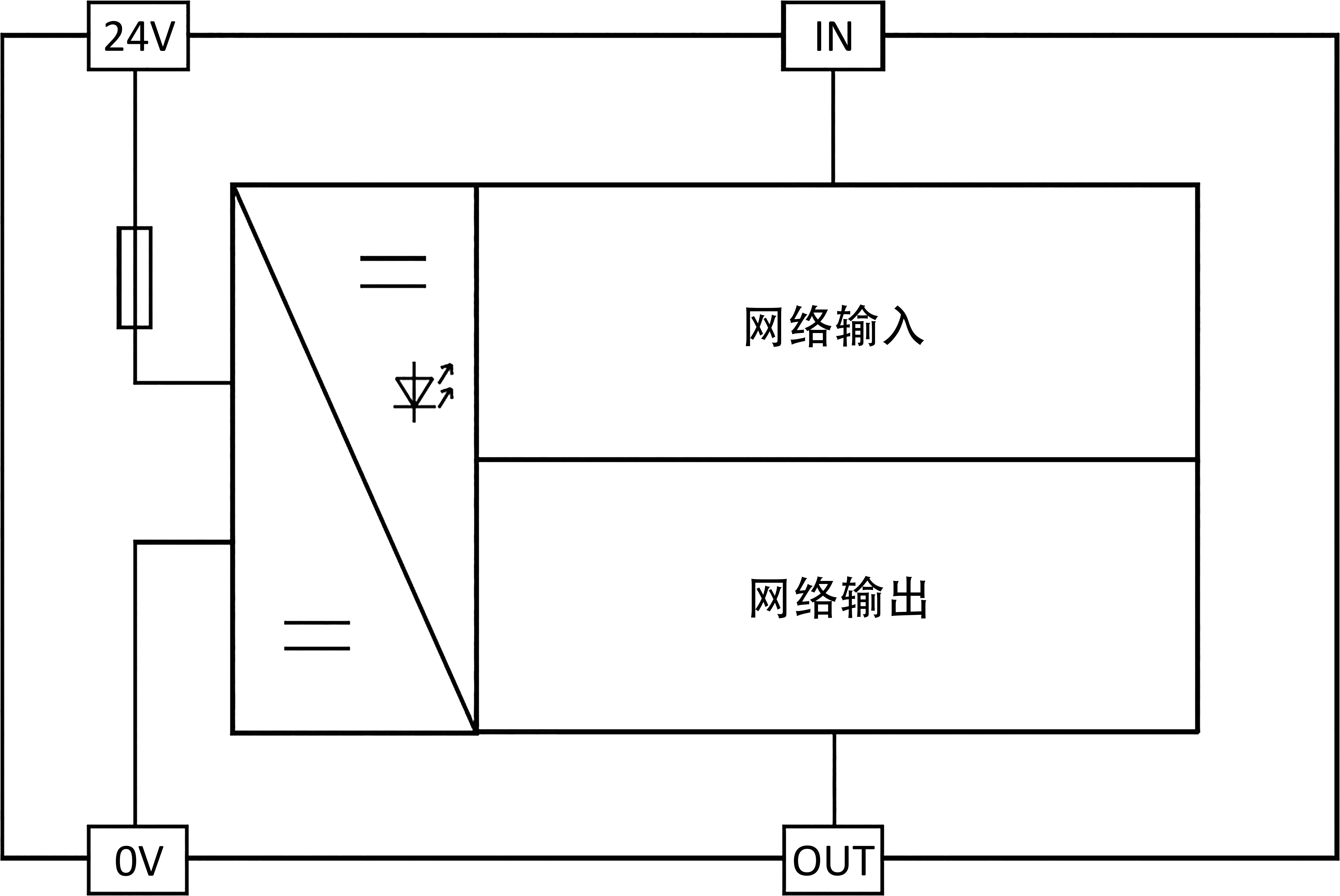
▊SPC-WG functional block diagram, typical application and outline dimension diagram
| Functional block diagram | DIN rail bus connector SPC-TBUS outline dimension diagram | Limit switch SPC-E outline dimension diagram |
 |
|
|
▊安全模塊配置· 自檢參數可自由配置· 檢測T口可自由選擇· 通訊參數可自由配置· 通用Type-C組態線
▊安全控制器的選型方法請按步驟,根據用途選擇適合的 GC 系列產品。主控制器的選擇[必需]擴展單元的選擇[選購件]總線網關的選擇[必需] SPC-1000SPC-SIO8 SPC-SIO12SPC-WG▊SPC-SIO8安全擴展模塊· 是一款安全擴展模塊· 最大支持2路支持TTL型/正余弦型編碼器信號......
? 是總線型網關從站設備 ? 支持Modbus、EtherCAT、PROFINET、 EtherNet/IP、CANopen等通訊 ? 配合安全控制模塊使用 ? 通過網關設備,用戶可實時讀取安全控制模 塊的邏輯狀態信息、設備運行狀態信息以及 各IO模塊的故障報警狀態等,實現遠程通信,方便操作▊型號......

Lihong Safety Equipment Engineering (Shanghai) Co., Ltd.
E-Mail: info@lh-safety.com
Address: 581 Xiuchuan Road, Chuansha Town, Pudong New District, Shanghai
(Greenland East Coast International Plaza-Room A 313)
Copyright ? Lihong Safety Equipment Engineering (Shanghai) Co., Ltd. ICP19034341-1 Technical Support: lanjujing